Jersey tax return software
Cita is a desktop application purpose-built for accountancy firms and trust companies. Manage clients, prepare returns, and submit filings — all from a single, secure application.
No cloud. Your data stays on your network.
Everything you need to file Jersey personal tax returns
From your client book to a TOOS submission — Cita handles the entire workflow on your desktop.
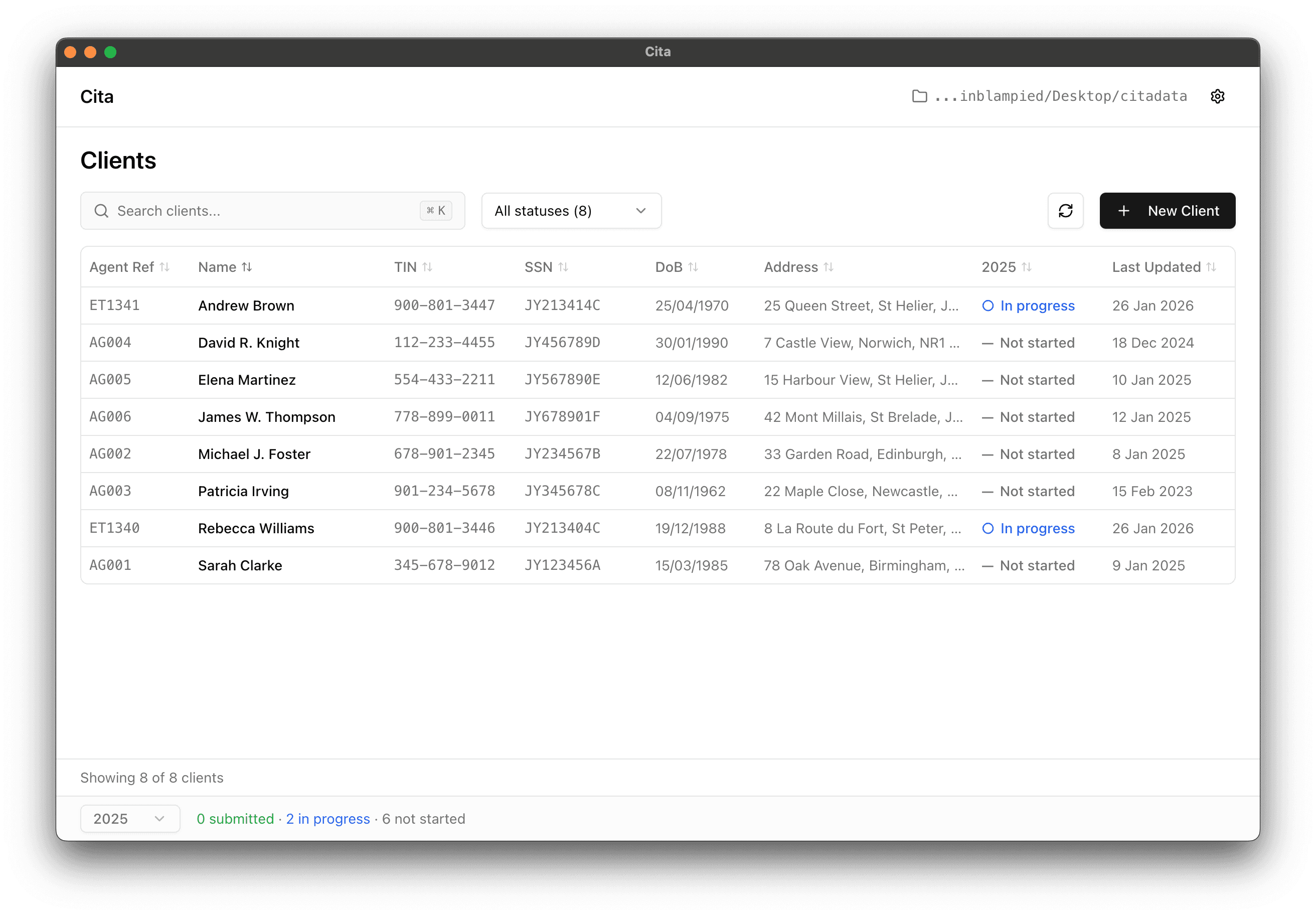
Manage your client book in one place
Add, edit and search clients with status, last-updated and year-on-year progress at a glance. Already on QMS? Import your existing client directory in a few clicks — no re-keying.
- Add and edit clients with full personal and tax details
- Import existing clients directly from QMS
- Track 'not started', 'in progress' and 'submitted' across years
Complete returns with confidence
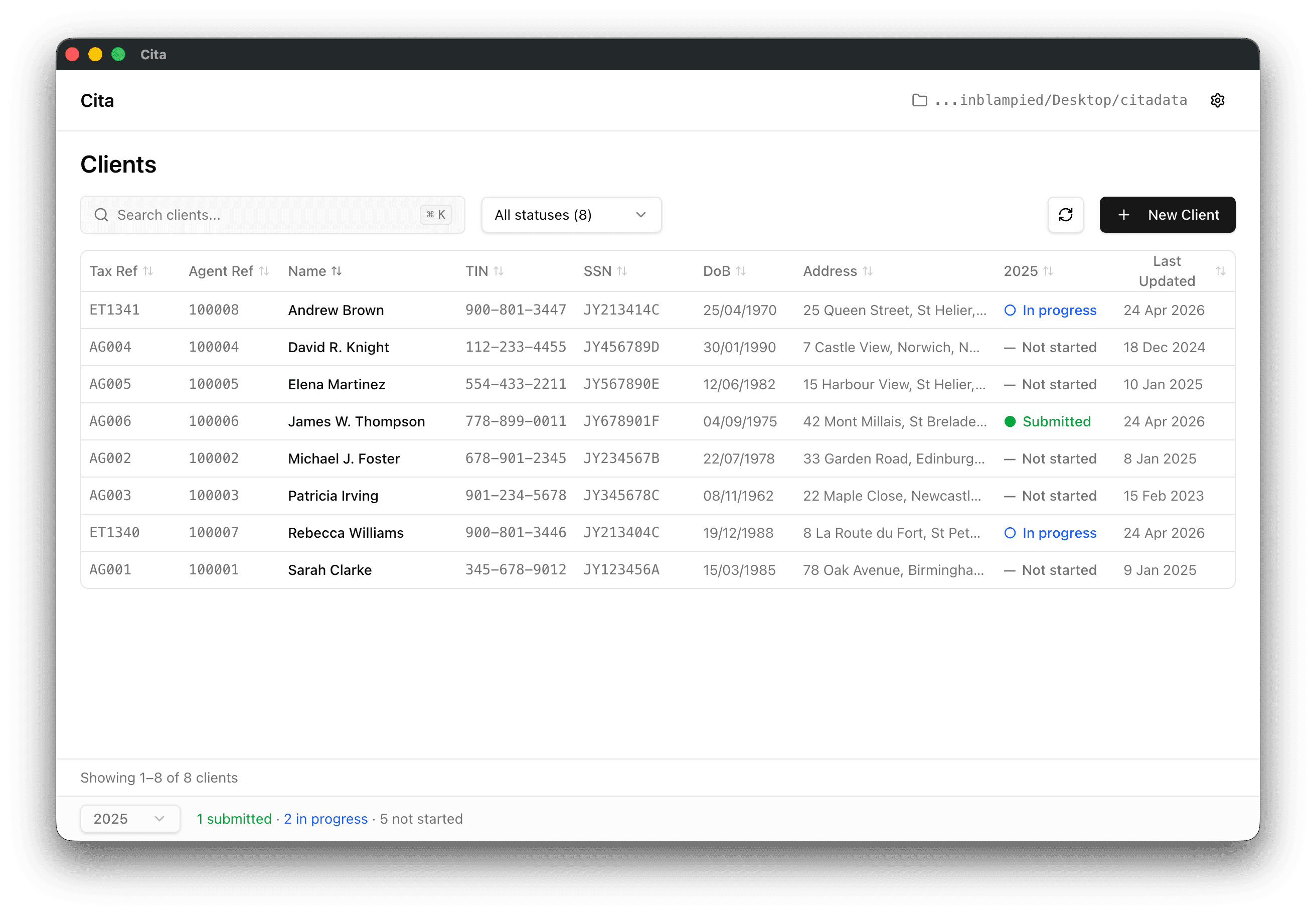
A guided, section-by-section workflow for the Jersey personal tax return. Inline form validation, per-section warnings and auto-save mean nothing slips through the cracks.
- 21 sections covering personal, employment, self-employment and more
- Field-level validation and section-level warnings
- Auto-save as you type — pick up exactly where you left off
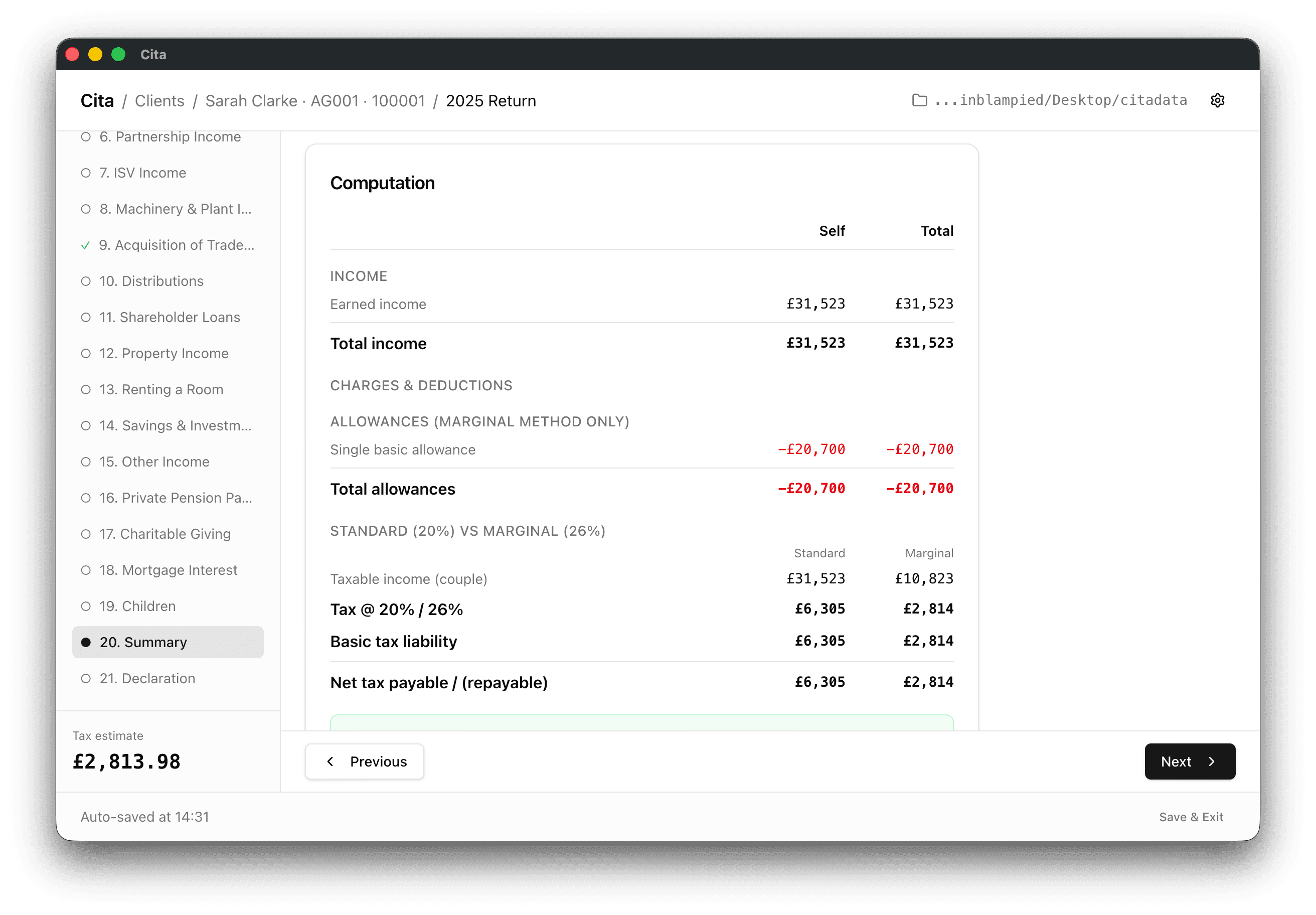
See the tax computation in real time
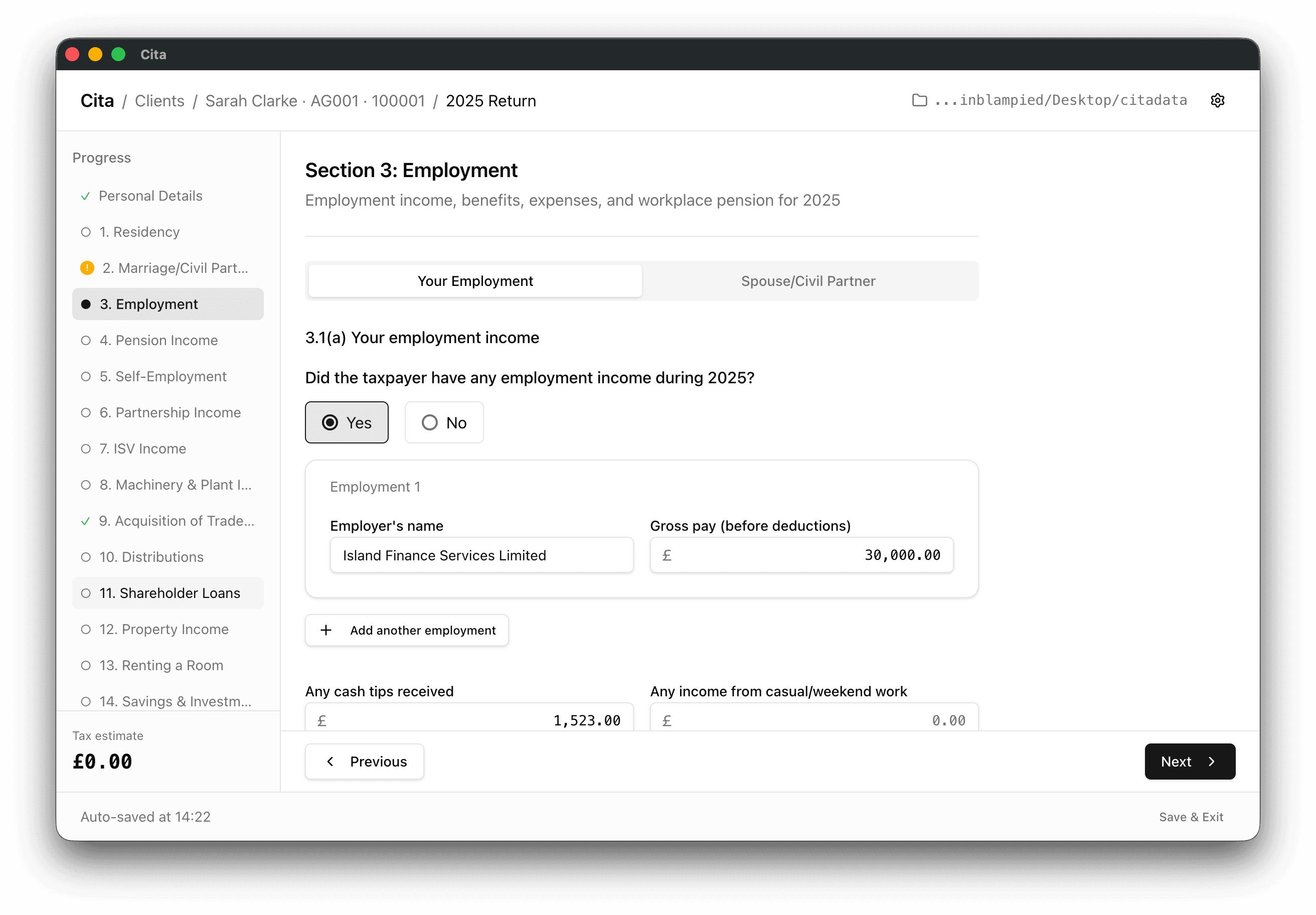
A live tax estimate updates as you enter information, with a full breakdown of income, allowances and the standard vs marginal comparison. No spreadsheets, no surprises.
- Live computation alongside the return
- Standard (20%) vs Marginal (26%) comparison built-in
- Couple-aware: self, spouse/civil partner and combined totals
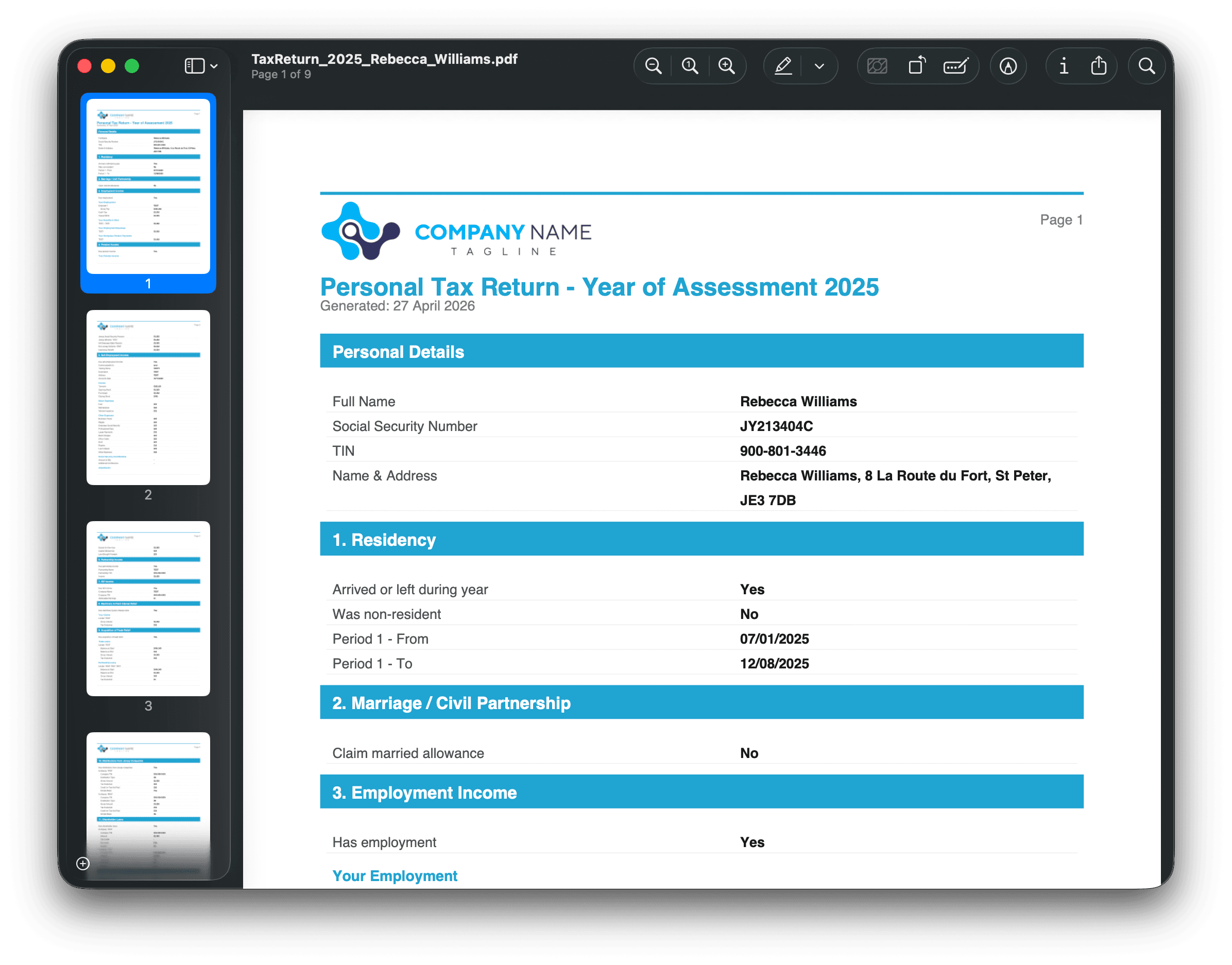
Export branded PDFs and submit to TOOS
Generate a clean, professional PDF for your client signed off with your firm's logo and branding — then submit the return directly to TOOS when you're ready.
- Export the full return as a branded client PDF
- Configurable company logo, name and tagline
- Submit completed returns straight to TOOS
How it works
Three steps from installation to submission.
Install Cita
Download and install on Windows or macOS. Register your company and share the licence with your team.
Import your clients
Add clients manually or import from an existing directory. All data stays securely on your machine.
Prepare & submit
Use the guided workflow to prepare annual returns with built-in validation, then submit when ready.
Simple, per-submission pricing
Pick the bucket that matches your firm's volume.
In beta — free to use
Cita is currently in testing. The pricing below is estimated and takes effect from the 2026 tax year onwards.
Get Cita for your Desktop
Download the latest version for your operating system.
Windows
v0.1.12 · 1 June 2026
Requires macOS 12+ or Windows 10+ (64-bit)
Download Example Directory